Can Your Employer Monitor You? What the Law and the Software Allow
Published by BugSweepingTSCM · Published:
Most advice on this starts with consent. In India that is the wrong starting point, because the data protection law lets an employer process employee data for employment purposes without it. What is actually visible then depends on whose device it is.
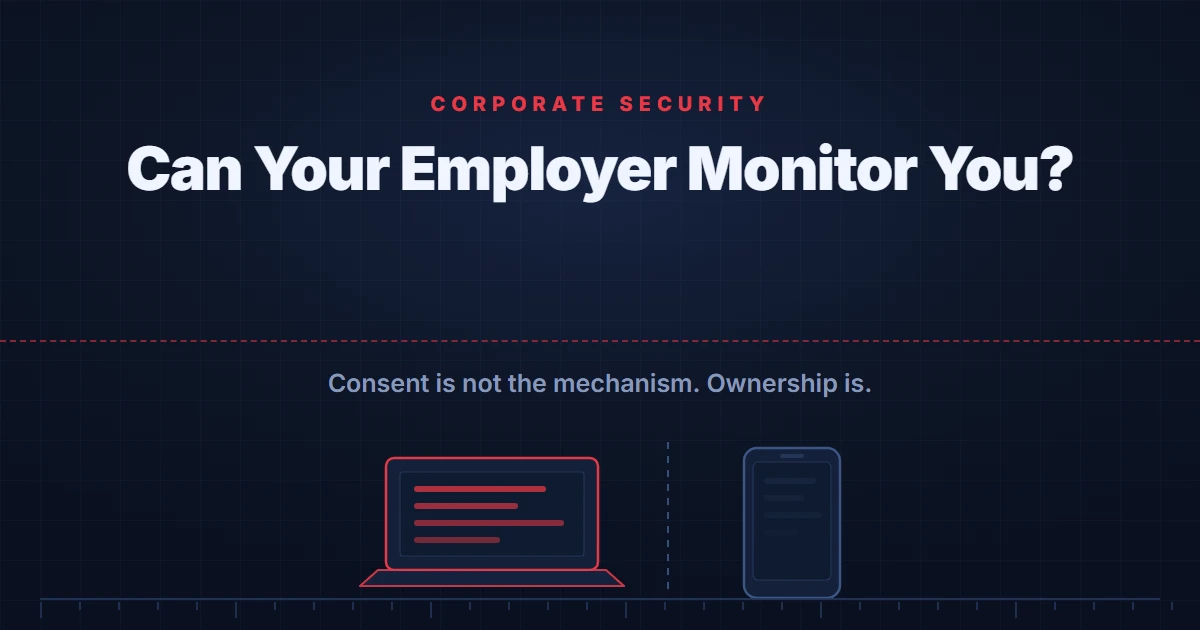
Short answer: In India, consent is not the mechanism. The Digital Personal Data Protection Act, 2023 treats processing for the purposes of employment as a legitimate use that stands alongside consent rather than requiring it. What is actually visible to your employer then turns on a different question entirely: who owns the device.
Nearly every article on this subject opens by asking whether your employer has your consent. For an Indian employee that is the wrong first question, and starting there produces an answer that is both reassuring and wrong.
There are really two questions worth separating. What is an employer permitted to do, which is law. And what can the software on a particular device actually see, which is documented by the companies that make it and is more specific than most people expect in both directions. This page takes them in that order.
One boundary first, because it decides whether this page is the right one. Ordinary workplace monitoring is an organisation applying policy to equipment it owns, at scale, with no interest in you personally. That is what follows. If your concern is a particular individual with access they should not have, or a device somebody placed in a room, that is targeted surveillance, it has different evidence and different answers, and our guide to the signs that an office is bugged is the better starting point.
In India, consent is not the mechanism
The Digital Personal Data Protection Act, 2023 is built around consent, but it does not make consent the only lawful basis. Section 7 sets out what it calls certain legitimate uses, which sit alongside consent rather than beneath it, and one of them is about employment.
Clause (i) of Section 7 covers processing "for the purposes of employment or those related to safeguarding the employer from loss or liability", and the clause itself gives examples: guarding against spying by competitors, keeping business secrets and sensitive government-classified material confidential, and providing a service or benefit that an employee asks for. Processing on that basis does not run through employee consent at all.
Two things follow, and they point in opposite directions, which is why this provision is so often reported badly. The first is that an Indian employee asking "but did I agree to this?" is usually asking a question the statute does not turn on. The second is that the clause is tied to stated purposes. It covers employment, and protecting the employer from loss or liability. It is not a general permission to do anything with employee data, and a purpose outside those bounds is a different legal question.
Worth adding that the detailed notice and consent machinery under the Digital Personal Data Protection Rules, 2025 commences eighteen months after their publication, in May 2027, as our guide to whether your phone is listening to you sets out. How any of this applies to your own employment is a question for a lawyer, not for a web page.
What device management can and cannot see
Here the documentation is unusually precise, and it is worth reading because it contradicts the fears in one direction and the complacency in the other.
Microsoft publishes a page describing exactly what an organisation can see on an enrolled device. It opens with a list headed things your organisation can never see, and that list is: calling and web browsing history, email and text messages, contacts, calendar, passwords, pictures including what is in the photos app or camera roll, and the content of user-created documents.
That is more protective than most people assume. Now the other direction. For a corporate-owned Windows device, the same page states that the organisation can query hardware and operating system environment information, installed certificate details, file paths and file names, operating system user and group information, registry and event log entries, and details about running processes.
Read those two lists together and the shape of it appears. Management software is not built to read your messages. It is built to know your machine completely: what is installed, what is running, what files exist and what the system has logged.
The caveat that matters most. Everything above describes what the management platform exposes. It says nothing about separate monitoring software an employer may choose to install on a device it owns, which is a different product category with different capabilities. A page documenting what Intune shows is not a guarantee about everything running on your laptop.
Whose device is it? The line that actually decides
Almost every practical difference in this subject comes back to ownership, and Microsoft's documentation draws the line explicitly rather than leaving it to inference.
On location, an organisation can view a lost corporate-owned device's location, and the documentation states plainly that they cannot view a personal device's location. On installed software, a corporate-owned device shows all installed apps, while a personal device shows only the managed app inventory, meaning work and school apps, though Microsoft adds that some configurations allow organisations to see more than that on a personal device. Even the phone number is scoped: the full number on a corporate-owned device, the last four digits on a personal one.
This is why the single most useful habit in this entire subject is not technical. Keep personal things on personal devices and accounts, and work things on work ones. Not because anyone is necessarily watching, but because that one separation removes most of the questions before they arise.
What is discoverable in Teams and Microsoft 365
The messaging question is the one people ask most, and the honest answer is about where the content lives rather than about who is reading it.
Microsoft's current eDiscovery documentation for Teams sets out the storage. Messages in one to one chats are stored in the Exchange Online mailbox of all chat participants. Messages in group chats are stored the same way. All channel messages and posts are stored in the Exchange Online mailbox associated with the team. The content is in the organisation's tenant, in a form its compliance tools can search, whatever the chat window suggests.
Three details from that page are worth having, because they are the ones that surprise people.
- Chats with yourself are included. Microsoft's list of discoverable chat messages covers content in standard channels, one to one chats, group chats, chats with guests, and chats with yourself. The self-chat people use as a scratchpad is not a private notebook.
- Editing does not necessarily erase. The documentation states that if the user is on hold, previous versions of edited messages are also preserved. A hold is applied by the organisation, typically when litigation or an investigation is anticipated. Editing changes what colleagues see. It does not necessarily change the compliance record.
- Meeting metadata is its own category. Discoverable meeting metadata includes meeting start and end time and duration, and join and leave events for each participant. Attendance and timing exist as records independently of anything said.
None of this means somebody is reading your messages. Retrieval through these tools is permissioned and, in a well-run organisation, logged and reserved for defined purposes. It means the content is retrievable, which is a different and more durable fact.
How to find out what applies to you
If the worry is a personal account rather than a managed device, that is answered in the account itself, and our guide to who has access to your Google account sets out the route.
Approach this as a question about your own arrangements rather than as a hunt for hidden software, because the answer is usually written down somewhere you have already been given.
- Read the acceptable use or IT policy you were issued, and your employment contract. If monitoring is being done properly it is described there, and that document is the first thing any adviser would ask you for.
- Establish who owns the device, because as shown above that single fact changes what is visible.
- Check whether the device is enrolled in management and look at what is installed on it. On a managed company Windows machine, assume the organisation can see what is installed and running, because that is what the documentation says it can query.
- Ask your IT team directly. Microsoft's own page tells users to contact their IT admin to learn more about what the organisation collects. A reasonable employer can answer that question, and an unwillingness to answer it is itself information.
What this is not
It is worth saying plainly what this page has not been about, because the two situations get confused and the confusion is expensive.
Ordinary monitoring is systematic, applies to a category of people and equipment, and is boring. The pattern that is not ordinary is a specific person knowing things they have no route to: what was said in a closed room, where you went at the weekend, what you discussed on a personal device. That is a different problem. Our guides to phone monitoring and stalkerware, to whether a laptop camera has been hacked and to finding a listening device deal with those cases.
If the concern is the opposite way round, that information is leaving your organisation rather than that your organisation is watching you, our guide to corporate espionage in India is written from that side.
What an examination can and cannot establish
A physical examination of a room reports what was found in the areas accessed, by the methods used, under the conditions present, at the time of the visit. It can report what was physically found and what was transmitting in the bands examined while the examiner was present. It cannot establish that a device recording to internal memory is absent, because such a device emits nothing.
None of that answers a question about workplace monitoring, and it is worth being direct about why. Management software on a company laptop is not hidden, is not a radio transmitter, and is doing exactly what the organisation configured it to do. There is no unexplained emission to find and nothing concealed to locate. The answer lies in the policy you were given and the configuration of the device, which is a governance and forensics question rather than a sweep of a room. Our national guide to bug sweeping sets out what an examination does cover.
Frequently asked questions
Is employee monitoring legal in India?
There is no dedicated employee monitoring statute, and the Digital Personal Data Protection Act, 2023 does not make consent the mechanism. Section 7 sets out certain legitimate uses, which sit alongside consent rather than under it, and clause (i) covers processing for the purposes of employment or those related to safeguarding the employer from loss or liability, giving examples such as guarding against spying by competitors and keeping business secrets confidential. Processing for a purpose outside that is a different question. How the clause applies to a particular arrangement is a matter for a lawyer.
Can my employer read my Microsoft Teams messages?
The content exists in a form the organisation can search. Microsoft's current eDiscovery documentation states that messages in one to one chats and group chats are stored in the Exchange Online mailbox of every participant, and that channel messages are stored in the mailbox associated with the team. Chat messages discoverable through those tools include chats with yourself. Whether anyone actually looks is a matter of policy and permissions, not of technical possibility.
If I edit or delete a message, is the original gone?
Not necessarily. Microsoft's eDiscovery documentation says that if the user is on hold, previous versions of edited messages are also preserved. A hold is something an organisation applies, usually when litigation or an investigation is anticipated. Editing a message changes what colleagues see in the client. It does not necessarily change what the compliance record holds.
Can my employer see my browsing history on a managed device?
Not through device management itself. Microsoft's Intune documentation lists what an organisation can never see, and that list includes calling and web browsing history, email and text messages, contacts, calendar, passwords, pictures including the camera roll, and the content of user-created documents. That is a statement about what the management platform exposes, not about separate monitoring software an employer may also install, or about browsing done through a company network or a company browser profile.
Can my employer see my location or my personal apps?
It depends on who owns the device, and Microsoft's documentation draws the line clearly. An organisation can view a lost corporate-owned device's location, and Microsoft states plainly that they cannot view a personal device's location. On app inventory, a corporate-owned device shows all installed apps, while a personal device shows the managed app inventory, which is work and school apps. Microsoft adds that some configurations allow organisations to see more than the managed app inventory on a personal device.
How do I tell whether my work laptop is being monitored?
Start from ownership and enrolment rather than from a search for hidden software. Check whether the device is enrolled in management, look at what is installed, and read the acceptable use or IT policy you were given, which is where any monitoring should be described. If a company-owned Windows device is managed, Microsoft documents that the organisation can query details including file paths and file names, registry and event log entries, and details about running processes.
A workplace concern that is not about policy?
If the worry is not ordinary monitoring but a device somebody placed in a room, or a specific person with access they should not have, that is a different question and a physical examination can address it. A private consultation can help you decide whether one is warranted.
Request a consultation on WhatsApp