Is Hotel and Public Wi-Fi Still Dangerous? What Actually Changed
Published by BugSweepingTSCM · Published:
The advice to avoid public Wi-Fi was built on a threat that encryption has largely closed. Google reports HTTPS above 99 per cent on some platforms. What remains is narrower, stranger and worth knowing precisely.
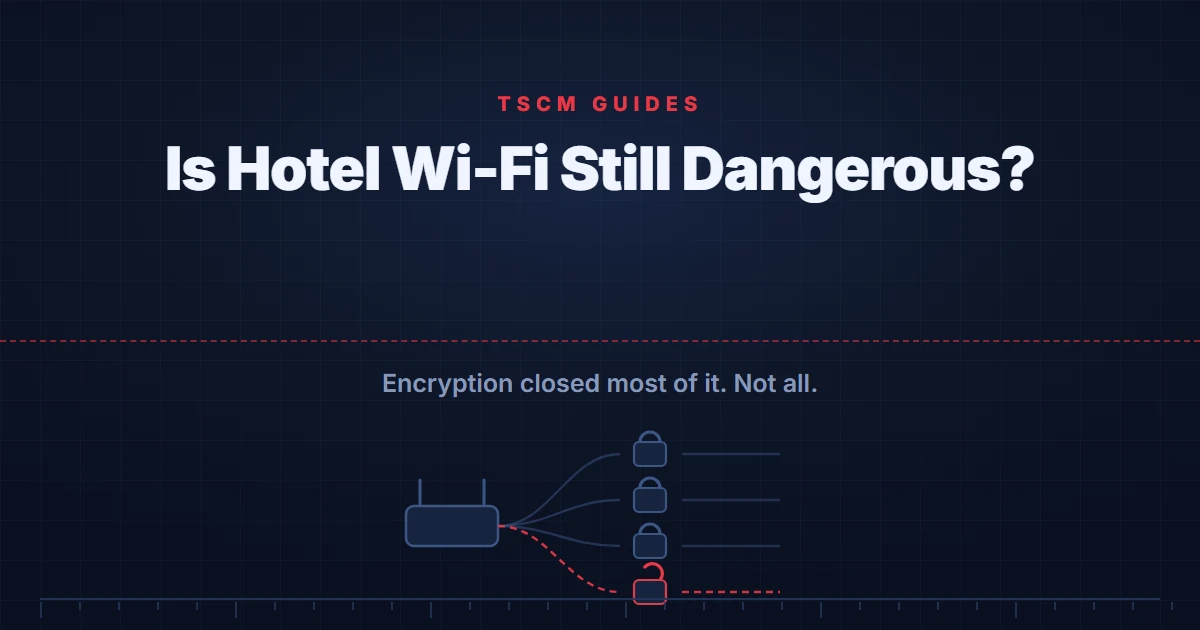
Short answer: Much less dangerous than the advice suggests, because the advice was written for a web where traffic could be read. Google reports HTTPS adoption at 98 per cent on Windows and above 99 per cent on Android and Mac for public sites. What remains is a narrow and specific set of risks, and a VPN addresses only one of them.
The standard warning about public Wi-Fi is one of the most repeated pieces of security advice in existence, and it describes a world that has largely gone. It was written when a person sitting in the same cafe could watch your traffic go past in readable form, because most of it was readable.
That changed, and it changed almost completely. Understanding what replaced it is more useful than either the old fear or the breezy dismissal that has started to replace it, because the risks that remain are specific and are not the ones people guard against.
What the numbers actually say
Google publishes measurements of how much browsing happens over encrypted connections, and in its October 2025 account of HTTPS by default it gives figures by platform.
Limiting the analysis to public sites, Windows "increases from 95% to 98% HTTPS", while "both Android and Mac increase to over 99% HTTPS". Linux "jumps from 84% HTTPS to nearly 97% HTTPS" under the same measure. Once private sites such as local addresses are excluded, in Google's words, "the distribution becomes much tighter across platforms".
Encrypted traffic cannot be read by somebody else on the same network. So the classic scenario, a stranger in the lobby reading your messages and seeing your passwords, is not a description of what happens on a modern network with modern sites. It is a description of 2012.
What has not been closed
Google's own framing of the remaining gap is the most useful sentence on the subject, and it is not reassuring: "Since attackers only need a single insecure navigation."
That reframes the percentage. Ninety-nine per cent coverage is not ninety-nine per cent safety if one unencrypted request is enough, and the company adds that "many plaintext HTTP connections today are entirely invisible to users", because a site that loads over HTTP and then redirects leaves no trace the user would notice.
Three specific exposures follow, and they are worth separating from the general sense of danger.
- The remaining insecure sites, which you cannot reliably identify in advance because redirects conceal them.
- Captive portals, the sign-in pages hotels and airports put in front of their networks. These work by intercepting your first connection, which is the same behaviour an attacker would produce, and they routinely teach people to click through security warnings in order to get online.
- Being on a shared local network at all. Google notes that insecure traffic to private sites "can only be abused by an attacker also on your local network". On a hotel or cafe network, that describes everybody else connected to it.
Where a VPN helps, and where it does not
A VPN is the standard recommendation here and it is worth being precise about what it does, because the usual framing oversells it in one direction and dismisses it in another.
What it does: it hides which servers you are connecting to from the local network and whoever operates it. That metadata is real and the hotel can otherwise see it, even when the content is encrypted. If that is your concern, a VPN addresses it directly.
What it does not do: it does not make an insecure site secure. Traffic to a plain HTTP site is still plain HTTP at the far end of the tunnel. And it moves the visibility rather than removing it, because the VPN provider now occupies the position the hotel did. That is a real trade rather than a rhetorical point: the question is whether you trust that company more than the network you are on, and for a reputable provider against an unknown cafe the answer may well be yes.
What Chrome is about to change
The remaining gap is being closed by the browsers rather than by user behaviour, and the timing is immediate.
Google has said that in Chrome 154, in October 2026, the "Always Use Secure Connections" setting turns on by default in its public-sites form, warning users before a first insecure connection to a public site. An earlier release, Chrome 147 in April 2026, enabled it for users on Enhanced Safe Browsing.
The practical effect for anyone reading this is that the warning you have been told to watch for is becoming something the browser does for you. Which makes one old piece of advice more important rather than less: when a browser does warn you about a connection, that warning now means considerably more than it used to.
What to actually do
Short, and in order of how much it buys you.
- Never dismiss a certificate or connection warning, on any network. This is the single highest-value habit and it costs nothing.
- Use mobile data for anything you would be unwilling to redo. Not because the Wi-Fi will definitely betray you, but because the cost of the rule is almost zero.
- Treat the captive portal page as untrusted. Sign in, do not enter anything beyond what it requires, and never accept a warning to get through it.
- Use a VPN if the network operator seeing your destinations matters to you, and choose the provider as carefully as you would choose who else gets that list.
What an examination can and cannot establish
A physical examination reports what was found in the areas accessed, by the methods used, under the conditions present, at the time of the visit. It can report what was physically found and what was transmitting in the bands examined while the examiner was present. It cannot establish that a device recording to internal memory is absent, because such a device emits nothing.
None of that addresses a network question, and the distinction matters when deciding what to spend money on. Whether a hotel network is trustworthy is answered by how your traffic is protected, not by sweeping a room. The room is a separate question, and a real one: our guide to hidden cameras in hotels and paying guest accommodation covers what is worth checking there, and our guide to an unknown device on your Wi-Fi deals with the network you do control. Our national guide to bug sweeping sets out what an examination covers.
Frequently asked questions
Is hotel Wi-Fi safe to use?
Far safer than the standard advice assumes, because the threat that advice was written for has largely been closed. Google reports that when the analysis is limited to public sites, HTTPS adoption reaches 98 per cent on Windows and over 99 per cent on Android and Mac. Encrypted traffic cannot be read by somebody else on the same network. The residual risk is the small fraction that is not encrypted, and Google's own framing is the useful one: an attacker only needs a single insecure navigation.
Do I need a VPN on public Wi-Fi?
A VPN moves the trust rather than removing the risk, and that is the honest way to think about it. It stops the local network and its operator from seeing where you connect, which is a genuine benefit. It does not make an insecure site secure, and it hands the same visibility to the VPN provider instead. If you would not trust the hotel with that information, the question becomes whether you trust the VPN company more, which is a real question rather than a rhetorical one.
What actually changed to make public Wi-Fi less dangerous?
Encryption became the default on the web. The classic warning described an attacker on the same network reading your traffic, and that depended on traffic being readable. With HTTPS now covering almost all public browsing, the content and the specific pages are no longer visible to somebody sitting in the same cafe. Chrome is going further: in Chrome 154, in October 2026, the Always Use Secure Connections setting turns on by default for public sites, warning users before a first insecure connection.
What is still actually risky on a shared network?
Three things rather than the general sense of danger. The sites that are still plain HTTP, which Google notes are often invisible to the user because redirects hide them. Captive portal pages, which deliberately intercept your first connection and train people to accept warnings. And other devices on the same network, which matters because being on somebody's local network is precisely the position that lets an attacker exploit insecure local traffic.
Is it safe to do banking on hotel Wi-Fi?
Banking is among the better-protected things you can do, because banks were early and thorough on encryption and add their own authentication on top. The ordinary advice to avoid it on public networks is a holdover from the era this page describes. If you want a rule that is simple and still correct, use mobile data for anything you would be unwilling to redo, and do not dismiss a certificate warning on any network, ever.
Should I worry about the hotel itself watching my traffic?
The network operator sees which servers you connect to, even when it cannot read the content, and that metadata is real. This is the one place a VPN genuinely helps. It is also a different concern from the one most people have in a hotel room, and if the worry is the room rather than the network, our guide to hidden cameras in hotels and paying guest accommodation is the better page.
Worried about the room rather than the network?
A hotel network and a hotel room are different problems. If the concern is a device in the room, a physical examination is the right instrument, and a private consultation can help you decide whether one is warranted.
Request a consultation on WhatsApp